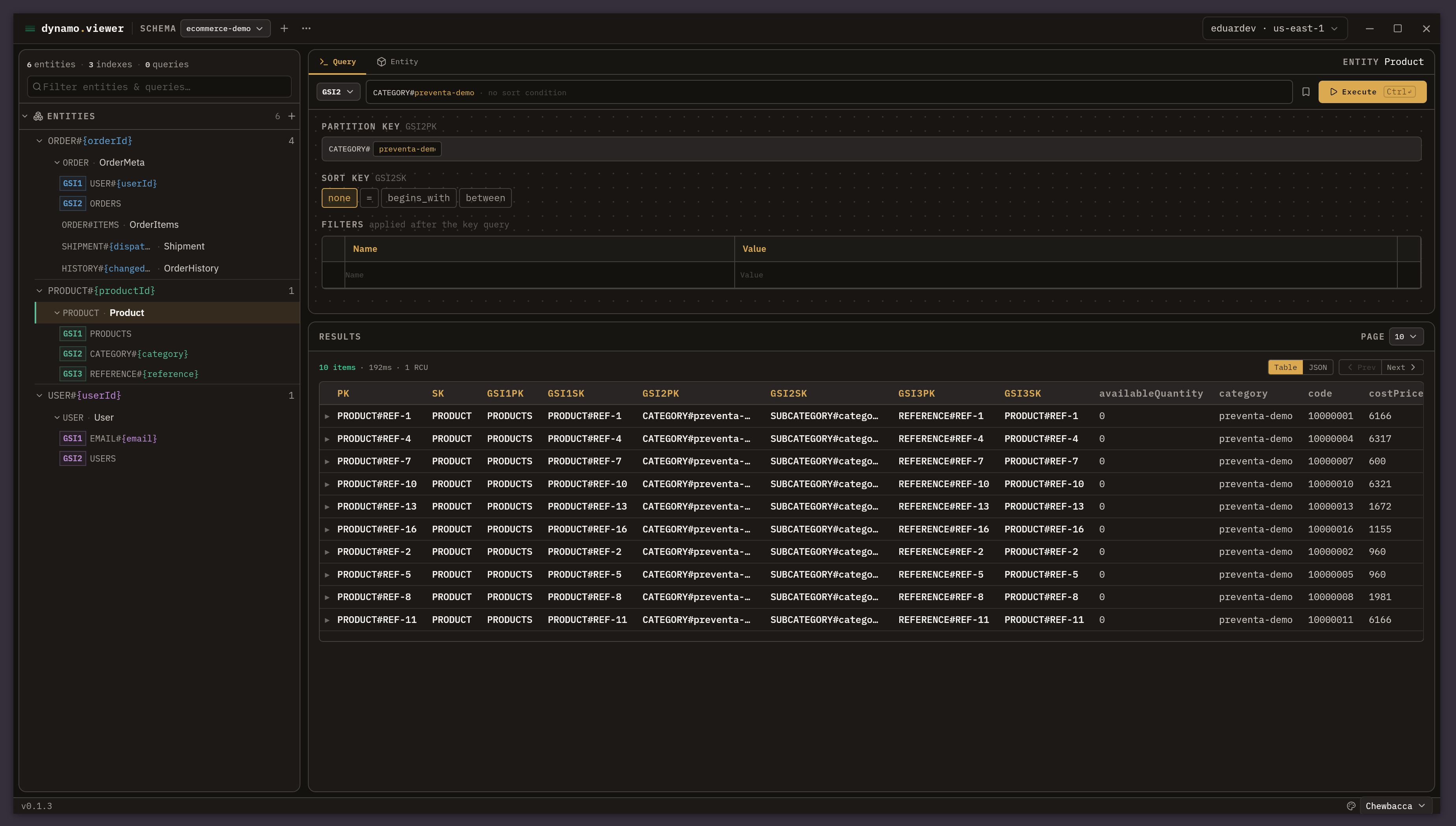
beautiful-dynamo-viewer: an explorer for single-table design in dynamodb
The AWS console doesn’t know your model
If you have worked with single-table design in DynamoDB, you know the scene: you open the console and see everything mixed together in the same table (products, users, orders) behind opaque keys like ORDER#a1b2 / ORDER#ITEMS. It is exactly what AWS recommends for scaling (NoSQL Design for DynamoDB), but for day-to-day exploration it is hostile: the keys tell you nothing and every query forces you to remember and write the key conditions by hand.
The console is great for simple tables. For single-table design, it is not. That is where beautiful-dynamo-viewer comes from:
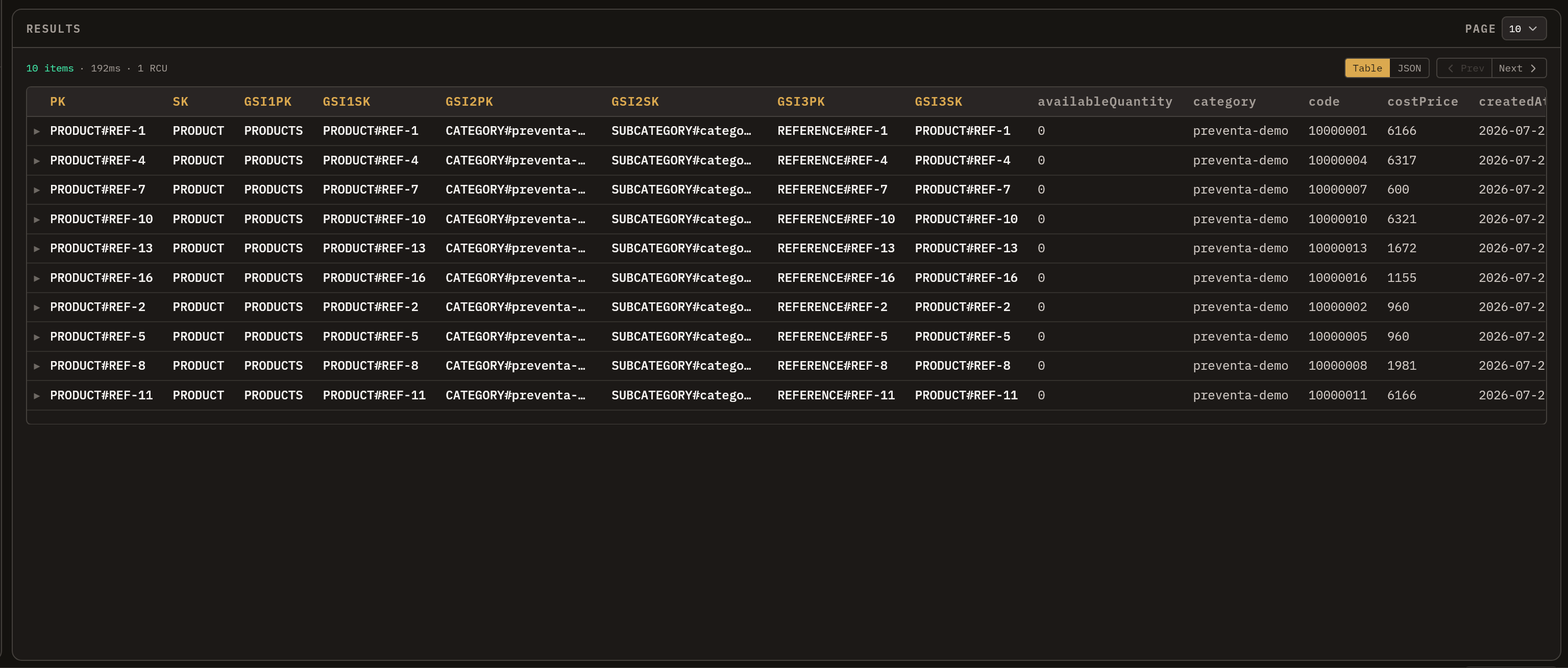
And the heart of the matter: in single-table design, the key design is the documentation of the system. But that knowledge lives scattered: in the data-access code, in the head of whoever designed the table, in an outdated diagram. The AWS console does not capture it anywhere. Every query is an act of memory.
How single-table works
In DynamoDB every item is identified by a partition key (PK), which defines which partition it lives in, and a sort key (SK), which defines how it is ordered within it (Core Components). Single-table design models around your access patterns, not entities: you put everything into one table and distinguish it with composite, overloaded keys.
PK = ORDER#<orderId>   SK = ORDER            ← metadata
PK = ORDER#<orderId>   SK = ORDER#ITEMS      ← items
PK = ORDER#<orderId>   SK = SHIPMENT#<date>#<n>
PK = ORDER#<orderId>   SK = HISTORY#<date>
All the items of an order share the PK: with a single Query (Query API) you fetch metadata, items, shipments and history, with no joins. And when you need another axis (“orders by user”, “products by category”) the GSIs come in (Secondary Indexes), where each entity projects its keys differently:
ORDER:    GSI1PK = USER#<userId>          GSI1SK = ORDER#<date>      ← orders by user
PRODUCT:  GSI1PK = CATEGORY#<category>    GSI1SK = PRODUCT#<name>    ← products by category
This is how that model looks in the beautiful-dynamo-viewer sidebar: each entity (ORDER, PRODUCT, USER) with its base key patterns and its projection on each GSI (GSI1 USER#, GSI2 ORDERS) in plain sight.
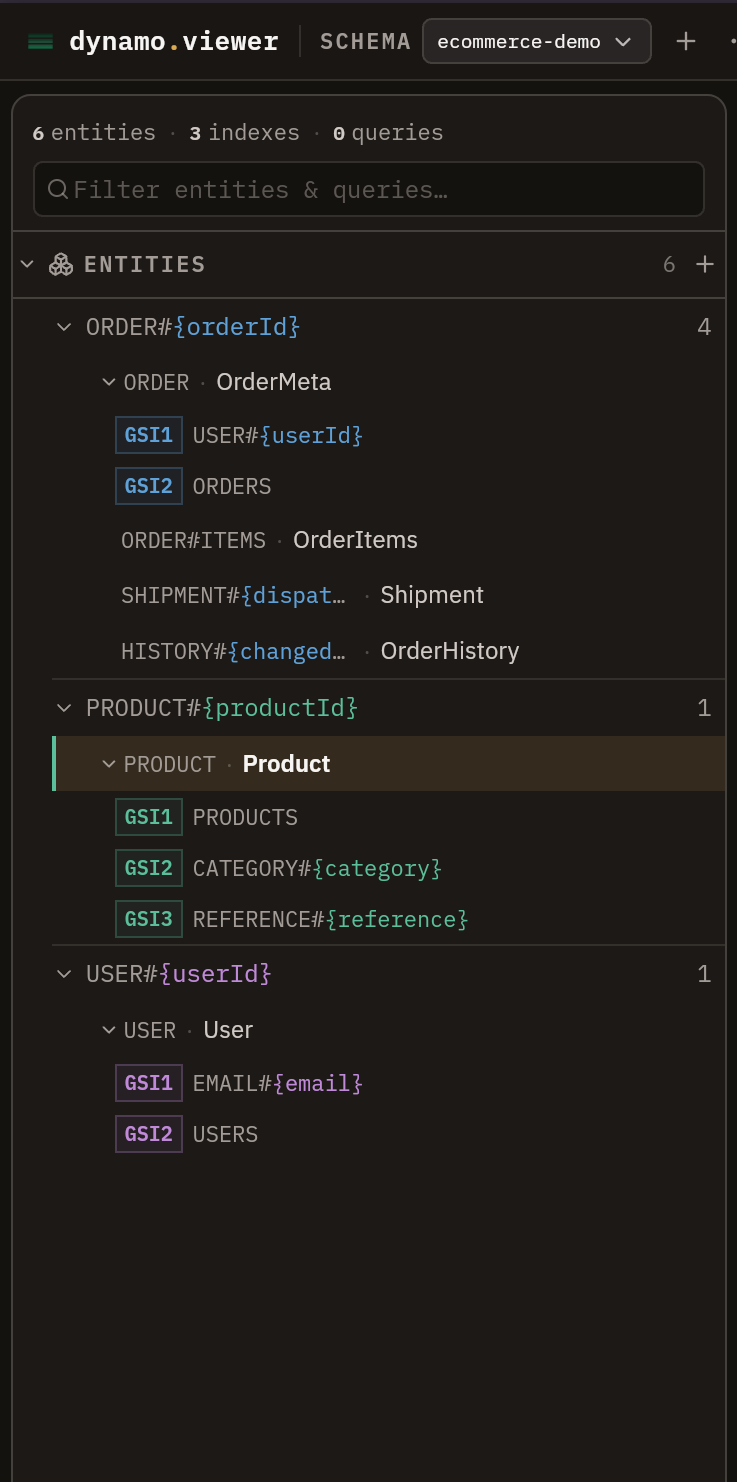
One practical detail of the model: the items of an order live in an item separate (ORDER#ITEMS) from the metadata one, because a DynamoDB item cannot exceed 400 KB (Best practices for large items). Splitting the items apart and grouping them under the same PK is what AWS calls vertical partitioning: they are read together with a single Query with SK BETWEEN 'ORDER' AND 'ORDER#ITEMS'. That kind of decision is your application, and beautiful-dynamo-viewer exists to capture that model once and make it queryable.
How the app works: model once, query by filling variables
The app, a desktop application built with Tauri + React and a Rust backend, revolves around a schema that describes a table:
Schema                ← one DynamoDB table, modeled
├── keys              ← physical key attributes (PK / SK)
├── indexes           ← the table's GSI definitions
├── entities          ← record types, with their key and index patterns
└── queries           ← saved queries
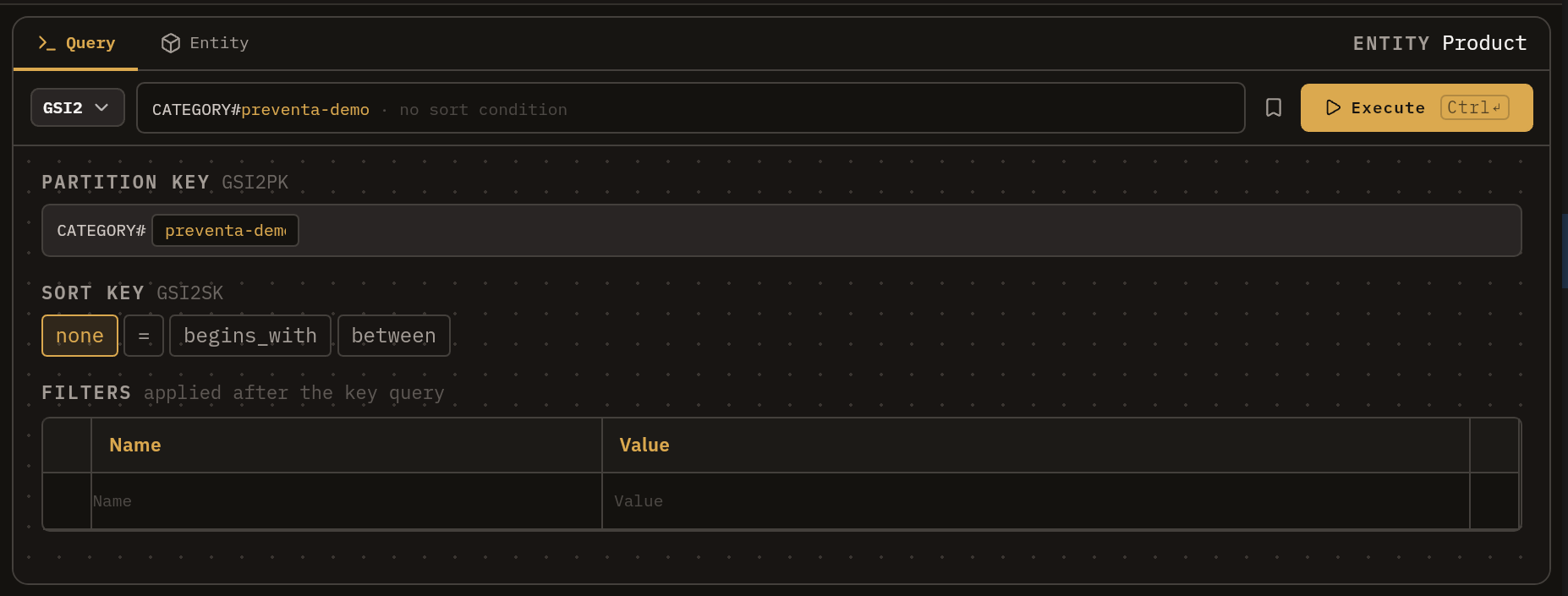
You model each entity once (its PK/SK pattern and its projection on each GSI, with placeholders like ORDER#<orderId>) and from there you query by filling variables instead of writing key conditions by hand. You pick the index, fill in the partition key, choose the sort key condition and the app translates everything into the real Query operation against your table:
On that foundation:
- Saved queries: you bookmark the builder state (index, values, SK condition, filters) as a reusable shortcut.
- Postman-style filters: conditions on attributes that are not keys, applied as a
FilterExpression, which you can toggle on and off without deleting them. - AWS profiles and SSO: you pick a profile and sign in from the top bar; queries run against your real table.
- Schema import/export: one schema per JSON file, thoroughly validated. The model becomes a versionable artifact you can share with your team.
All your configuration is stored locally (in workspace.json, written atomically on every change); nothing from your model leaves your machine.
When would you use it? (operational, not just design)
It is worth being clear about where it fits. AWS already offers NoSQL Workbench, excellent for designing and modeling your table before building it. beautiful-dynamo-viewer targets a different moment: the operational day-to-day on tables that already exist and already hold data.
It is for when:
- Someone new joins the team and needs to understand the model without reading all the data-access code.
- You are debugging in production and need to see “everything that falls under this order” without writing the
Queryby hand. - You want to save the 10 query patterns you use every week and re-run them by changing one value.
- You want your table design to be a living, versioned, shareable document.
In one sentence: it turns the tacit knowledge of your single-table design into an explicit, queryable, shareable tool.
Installation
Download the installer for your platform from the latest release: .deb / .rpm / .AppImage for Linux, .dmg for macOS and .msi / .exe for Windows.
One caveat: the app is not signed with an Apple or Microsoft certificate (they cost ~99 USD per year; this is standard for open source software), so macOS and Windows will complain the first time you open it:
-
macOS: Gatekeeper blocks the app as coming from an “unidentified developer”. Remove the quarantine flag macOS adds to downloaded apps:
xattr -cr /Applications/beautiful-dynamo-viewer.app -
Windows: if SmartScreen shows “Windows protected your PC”, click More info and then Run anyway.
-
Linux: no friction; install the
.deb/.rpm, or make the.AppImageexecutable.
TL;DR
- What it is:
beautiful-dynamo-viewer, a desktop app (Tauri + React + Rust) to explore and query DynamoDB tables with single-table design. - The problem: in single-table design the keys are opaque and every query forces you to write key conditions by hand; the AWS console does not capture the model.
- The idea: you model the table once (entities, PK/SK patterns and indexes) and from there you query by filling variables.
- Where it fits: NoSQL Workbench is for designing;
beautiful-dynamo-vieweris for the operational day-to-day on tables that already exist. - Status: open source (MIT), with installers for Linux, macOS and Windows in the latest release. Try it and tell me which of your access patterns it still cannot express.
Repository: github.com/devcastech/beautiful-dynamo-viewer · Downloads: releases/latest
related

serverless image pipeline with aws lambda+node+wasm: from 11.5mb to 91.2kb
How to build a 100% serverless image optimization pipeline on AWS with beautiful-image and zero native dependencies
[guide] deploy lambda with typescript and sam
Practical AWS SAM guide to deploy Lambda functions with TypeScript using CloudFormation templates and TOML configuration

[guide] aws authentication: iam identity center (sso) - the right way in 2026
Complete guide to authenticating in AWS using IAM Identity Center (SSO) and why you should stop using access keys